Butterfly Social
Butterfly Social is a quick way to auto-generate OpenGraph link preview images in bulk for all your sites, without the use of a separate template editor or API integration at no cost. The source of truth for the image data & design remains within your primary website, so you can use tools you are already familiar with & assets that are already well-integrated into your workflow.
Self-hosted OpenGraph / social link preview image generation tool. Open source, fully customizable, yet works out of the box with minimal configuration.
How to use Butterfly Social Link Previews
You can self-host Butterfly Social on a cheap VPS from any provider (here’s $200 in credits with a DigitalOcean referral code.)
To prevent abuse and to conserve resources, Butterfly blocks all domains by default, until you explicitly authorize each domain you care about.
Use the Default Template
Just one step: Paste the Butterfly <meta> tag into the original page, and you’re done!
<meta property="og:image" content="https://butterfly.your-server.com/link-previews/v1?url=your-site.com/some/page">
Use your Own Templates
-
Create a new hidden element inside your existing Web page, using whatever framework or template engine you use today. E.g. here’s a simple example:
<div id="link-preview" style="display: none; width: 1200px;"> <h1>Butterfly Social</h1> <p>Self-hosted OpenGraph / social link preview image generation tool. Fully customizable, yet works out of the box with zero configuration.</p> </div> -
Use Butterfly to craft a URL, and paste the
<meta>tag into the original page.<meta property="og:image" content="https://butterfly.your-server.com/link-previews/v1?url=your-site.com/some/page">If you can’t use the default selector (
#link-preview) for any reason, you can provide an alternate one using the&sel=parameter. -
There is no step 3.
How it’s rendered
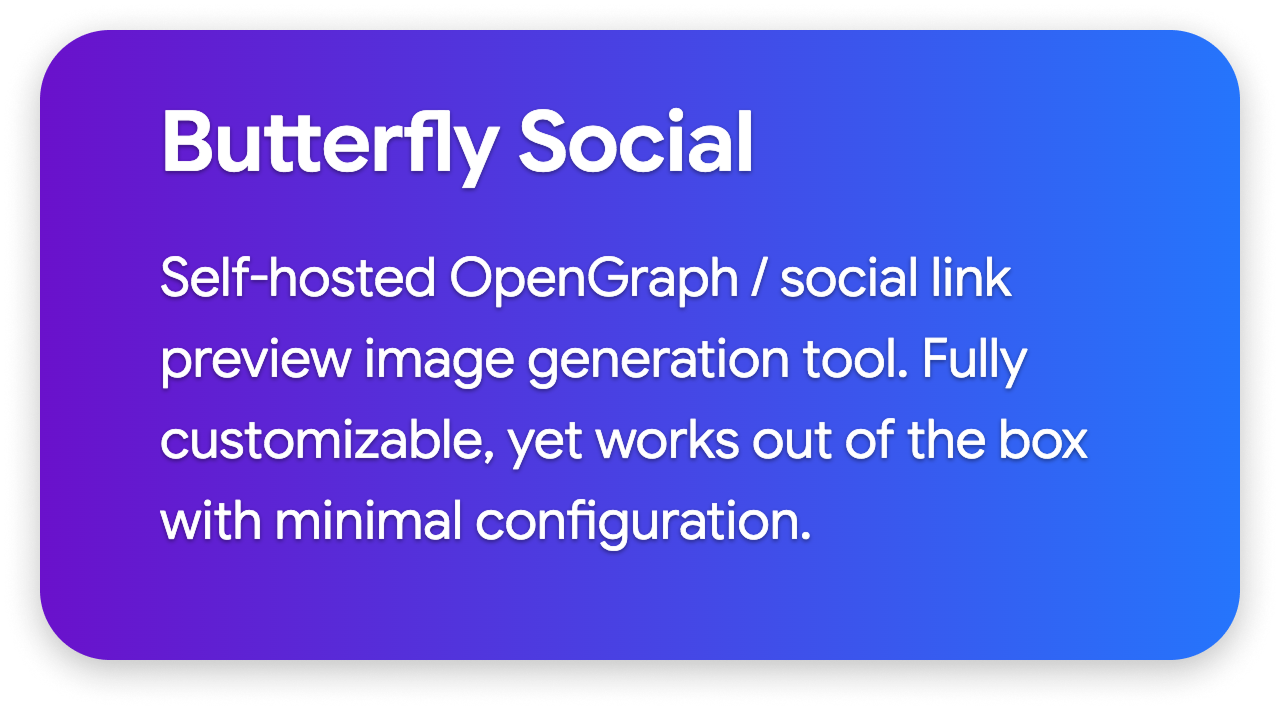
Test your Butterfly installation by posting your original page URL to any social platform.
How it works
Butterfly fetches the URL you provide to it, using a Chrome Headless instance, runs JavaScript to un-hide the hidden element, takes a screenshot of it, and serves it (while also caching & compressing it).
Butterfly works well with static sites (using any static site generator) as well as dynamically-generated sites (using any CMS or platform).
Can I use…
- Images? Yes.
- SVG backgrounds? Also, yes.
- Flexbox? Grid? Yes, of course.
- Custom fonts? Proprietary fonts? Absolutely.
Why limit yourself to the customization possible in a random WYSIWYG editor, when you have the entire Web platform available to you!
Anything you can design for the Web, you can use to create a link preview image. The infinite is possible at Zombocom. The unattainable is unknown at Zombocom.
Bonus Features: QR Codes
Butterfly Social can also generate QR Codes for your authorized URLs that you can embed on your site wherever appropriate.
Use this URL format:
<img src="https://butterfly.your-server.com/qr-codes/v1?url=your-site.com/some/page">
Install & Deploy
We strongly recommend deploying using the official container image, which includes Chrome Headless for convenience. Thanks to the chromedp project for making this possible!
- Butterfly is designed to be used behind a TLS reverse proxy for SSL termination (among other things). We recommend Caddy; see sample Caddyfile below.
- If you expect a lot of traffic, consider using a CDN.
Sample compose.yml (for Docker and Podman)
services:
  butterfly:
    container_name: butterfly
    image: ghcr.io/chimbori/butterfly:latest
    volumes:
      - $PWD/butterfly-data:/data
    restart: unless-stopped
    depends_on:
      - butterfly-db

  butterfly-db:
    container_name: butterfly-db
    image: postgres:18-alpine
    environment:
      POSTGRES_DB: butterfly
      POSTGRES_USER: chimbori
      POSTGRES_PASSWORD: chimbori
    volumes:
      - $PWD/butterfly-db-data:/var/lib/postgresql
    restart: unless-stopped

volumes:
  butterfly-data:
  butterfly-db-data:
sudo chmod -R a+rw butterfly-data
If you prefer to install using the Go binary on raw metal, use go install
go install butterfly.chimbori.dev@latest
Sample butterfly.yml
Butterfly requires basic configuration to be provided via a config file.
-
PostgreSQL Database URL (required)
database: url: postgresql://chimbori:chimbori@butterfly-db:5432/butterfly -
Dashboard credentials (encrypted via
bcrypt) (required)dashboard: username: admin password: "$2a$10$a8LnUkK1UiB.9yQrUp3wyuGsH1AAHhlHVy1cjIaaIUVAwCtGvaX7q" # "test" -
Web config (optional)
Assuming there’s a reverse proxy in front of Butterfly Social, there should be no need to change the port here; just configure the reverse proxy to forward requests to port 9999.
web: port: 9999 -
Link Previews config (optional)
Performance will be seriously affected by disabling the cache. This is only to be used during development.
link-previews: screenshot: timeout: 20s cache: enabled: true ttl: 720h0m0s max_size_bytes: 1073741824 -
QR Codes config (optional)
Performance will be seriously affected by disabling the cache. This is only to be used during development.
qr-codes: cache: enabled: true ttl: 720h0m0s max_size_bytes: 1073741824 -
Debug Mode (optional)
Turn on additional logging in Debug Mode.
debug: true
Sample Caddyfile
butterfly.your-server.com {
  reverse_proxy butterfly:9999
  encode zstd gzip
}
Dashboard UI
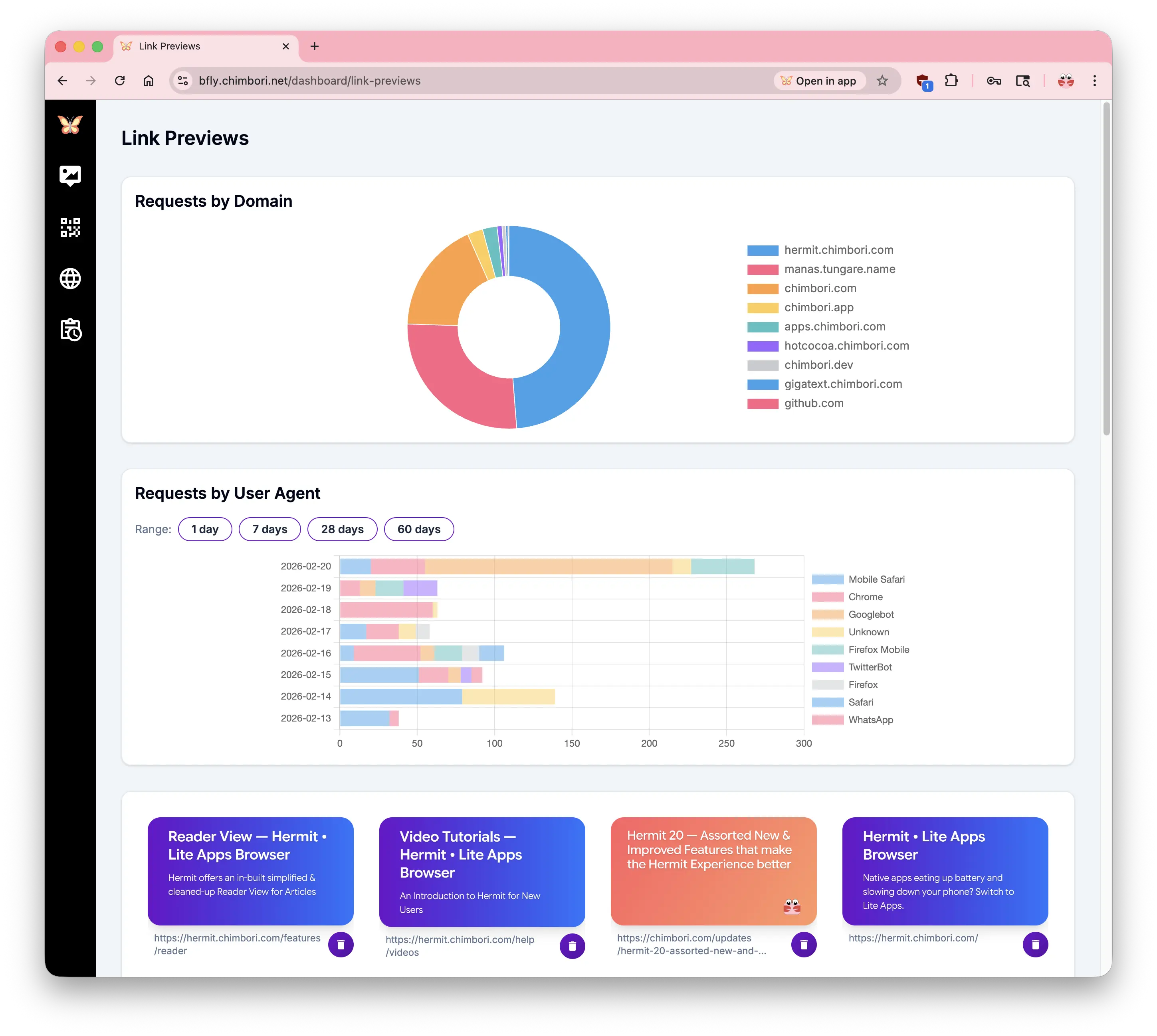
You can configure the Authorized Domains list using the Dashboard UI at https://butterfly.your-server.com/dashboard. The Dashboard is available as an installable PWA (Progressive Web Application) that can be “installed” locally using any modern browser.
License
This project is licensed under the Apache License 2.0.
Comparison with Alternatives
There are a lot of paid SaaS tools in this space. Notable among them are:
- BannerBear
- RenderForm
- Templated.io
- Imejis.io
- Pablle
- Orshot
- Abyssale
They all work roughly the same way: you design a template using their custom tools, then provide them your data (title, description, etc.), and pay them per-request (or per-render) to create & serve those images for you.
This model works great if you do not have access to the source of the page, or have no influence over the developers who build your website.
But now,
- You’ve got to learn a whole new tool.
- That tool exposes a certain amount of design expressiveness, but nowhere near what the Web platform offers natively.
- Anytime you need to change the preview image, you have to visit a completely separate website.
- Anytime your own webpage changes, you have to remember to update the templates to match the theme.
- There’s no way to share themes between your website & these third-party tools: colors, gradients, logos must be copy/pasted manually.
- You have to rely on these companies being around long enough, and not disappearing completely after running out of money or being bought over by a VC.
- And you have to pay, based on volume.
Butterfly is none of those things. All you need is the ability to write some HTML/CSS (no JavaScript necessary!) to design your preview image. And it’s free in perpetuity.